
Last reviewed: October 2026
Small businesses in South Africa lose money online in two main ways. Someone tricks you or your staff into paying, or a criminal gets in through a gap you didn’t know was open. This guide shows you both, in plain language, and what to do about each one.
Last reviewed: October 2026
Short on time? Take our free 5-minute Security Health Check first. It shows you where your business stands and the three fixes that matter most.
Why this matters
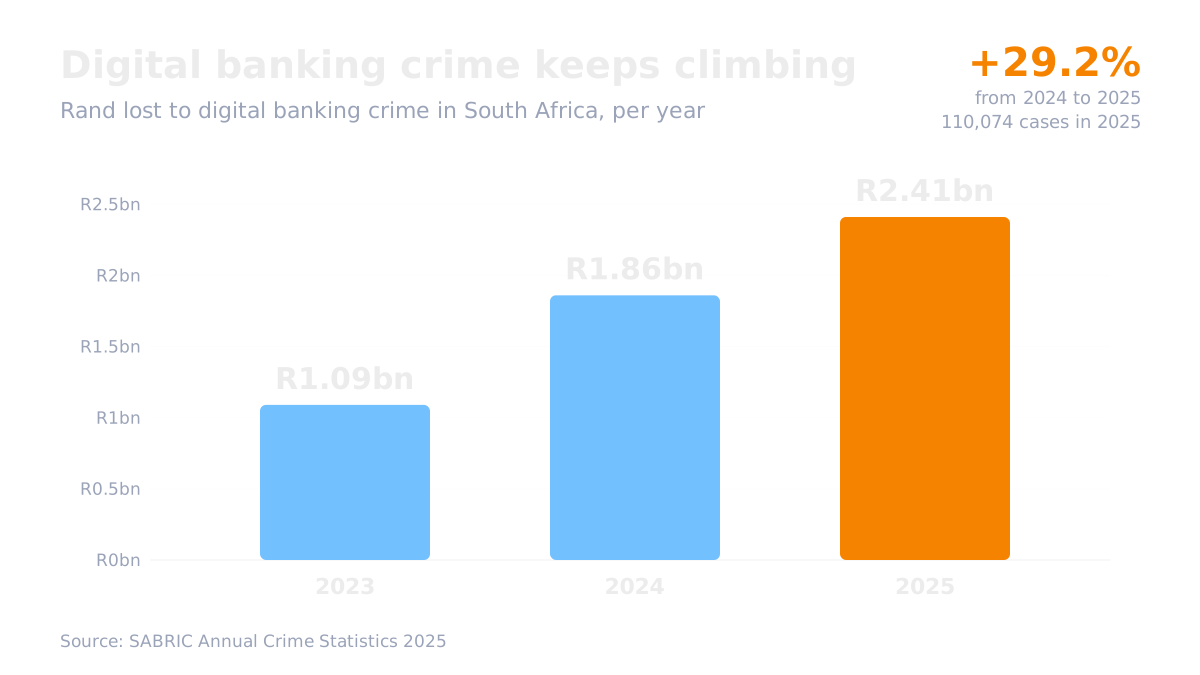
In 2025, South Africans lost R2.41 billion to digital banking crime, according to SABRIC. That was across 110,074 cases, up 29.2% on the year before. Most of it happened because people were talked into making the payment themselves.
Businesses feel this badly. Internet banking was involved in fewer than 9% of cases, but it made up 28.6% of the money lost. SABRIC links this to bigger business and supplier payments.
The courts have also been clear. In the Hawarden case (Supreme Court of Appeal, 2024), a buyer paid a fake account after criminals got into an email conversation. The court did not make the law firm whose emails were used pay her back, so the R5.5 million loss stayed with the person who paid. In the Intengo Imoto case (2025), a car dealer that paid R290,000 into a fake account still had to pay the real seller, because it had never checked the banking details. If your business pays a fake account, expect to carry the loss.
The two ways businesses get hurt
The first way is being tricked. A criminal pretends to be your bank, a supplier, a customer or even you, and gets someone to pay or share a code.
The second way is a weak spot. This is a gap in your setup, like old software or a shared password, that lets a criminal in without tricking anyone.
The two often work together. A criminal who gets into your email through a weak password can read your invoices and then send a very convincing fake one.
Scams hitting South African businesses now

Fake supplier bank-detail changes
A criminal gets into your email or your supplier’s email and waits for an invoice to be due. Then they send a message that looks like it comes from your supplier: “We’ve changed banks, please pay the new account.” The email address may be off by one letter. There is usually pressure to pay quickly.
What to do: never change a supplier’s banking details without phoning them on a number you already have. Don’t use the number in the email.
Fake bank “safe account” calls
Someone calls from what looks like your bank’s number. They say your account has been hacked and you must move your money to a “safe account” now. Some ask you to install an app so they can “help”. That app lets them see and control your screen.
What to do: hang up and call your bank on the number on your card or in your banking app. No bank will ask you to move money to a safe account or install an app during a call.
Fake government purchase orders
You get an order on what looks like government letterhead, often for a large amount of stock. It may tell you to buy the goods from a named “approved supplier”. You buy the stock, deliver it, and never get paid. The “supplier” was part of the scam.
What to do: find the department’s supply chain office on its official gov.za website and call them before you buy anything. Government email addresses end in gov.za, not .org or .com.
Business WhatsApp takeover
A message asks you to send back a six-digit code, often pretending to be WhatsApp or a friend. That code lets them take over your WhatsApp. They can then message your customers with fake banking details.
What to do: never share a WhatsApp code. Turn on two-step verification in WhatsApp under Settings, then Account, then Two-step verification. This adds a PIN that only you know.
Voice notes that sound like you
AI tools can now copy a voice from a short clip. A staff member might get a voice note that sounds like the owner, asking them to urgently pay a new supplier. SABRIC says these cases are still rare in South Africa, but they are starting to appear.
What to do: agree a simple rule with your staff. No new supplier gets paid from a message or voice note alone. They must phone you on your known number first.
Common weak spots
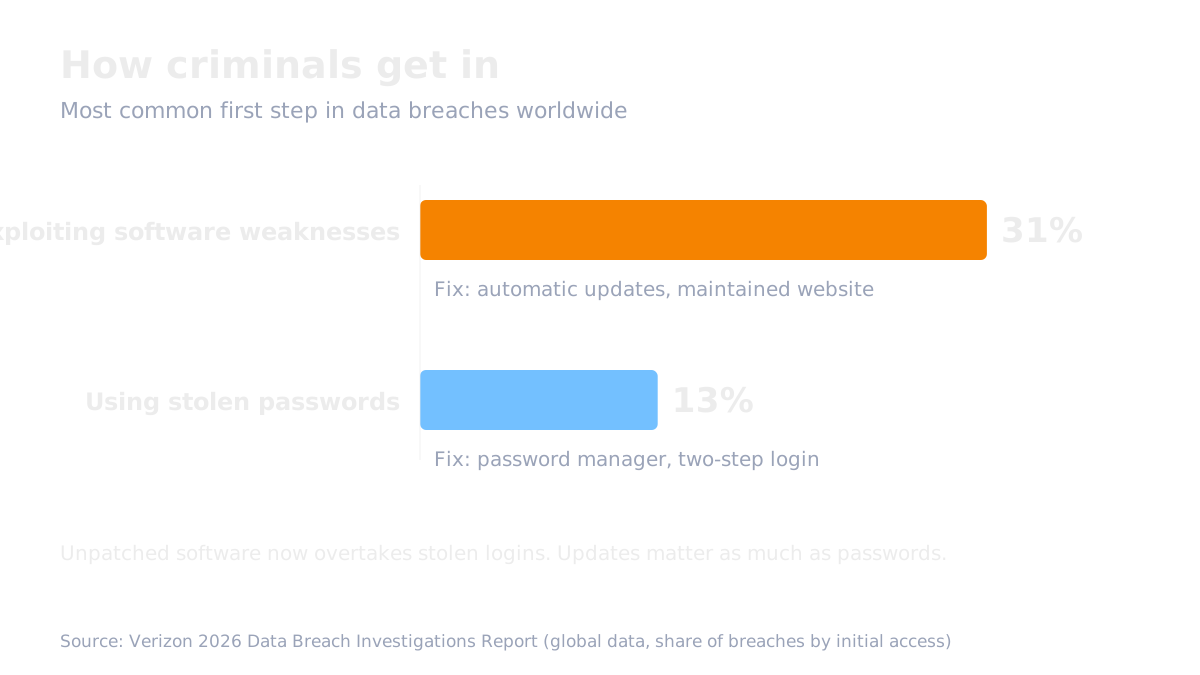
Scams are only half the story. Worldwide, criminals now get in more often through software weaknesses (31% of breaches) than through stolen passwords (13%), according to Verizon’s 2026 breach report.
Old devices and software
Updates fix known holes. If you skip them, criminals can use those holes. Computers and phones that no longer get updates are the biggest risk.
What to do: switch on automatic updates on every business laptop and phone. Plan to replace devices that no longer get updates.
Reused and shared passwords
If you use the same password in several places, one leak opens all of them. If staff share one login, you can’t lock out just one person.
What to do: use a password manager. It creates and remembers a different strong password for every account. Give each person their own login.
No two-step login
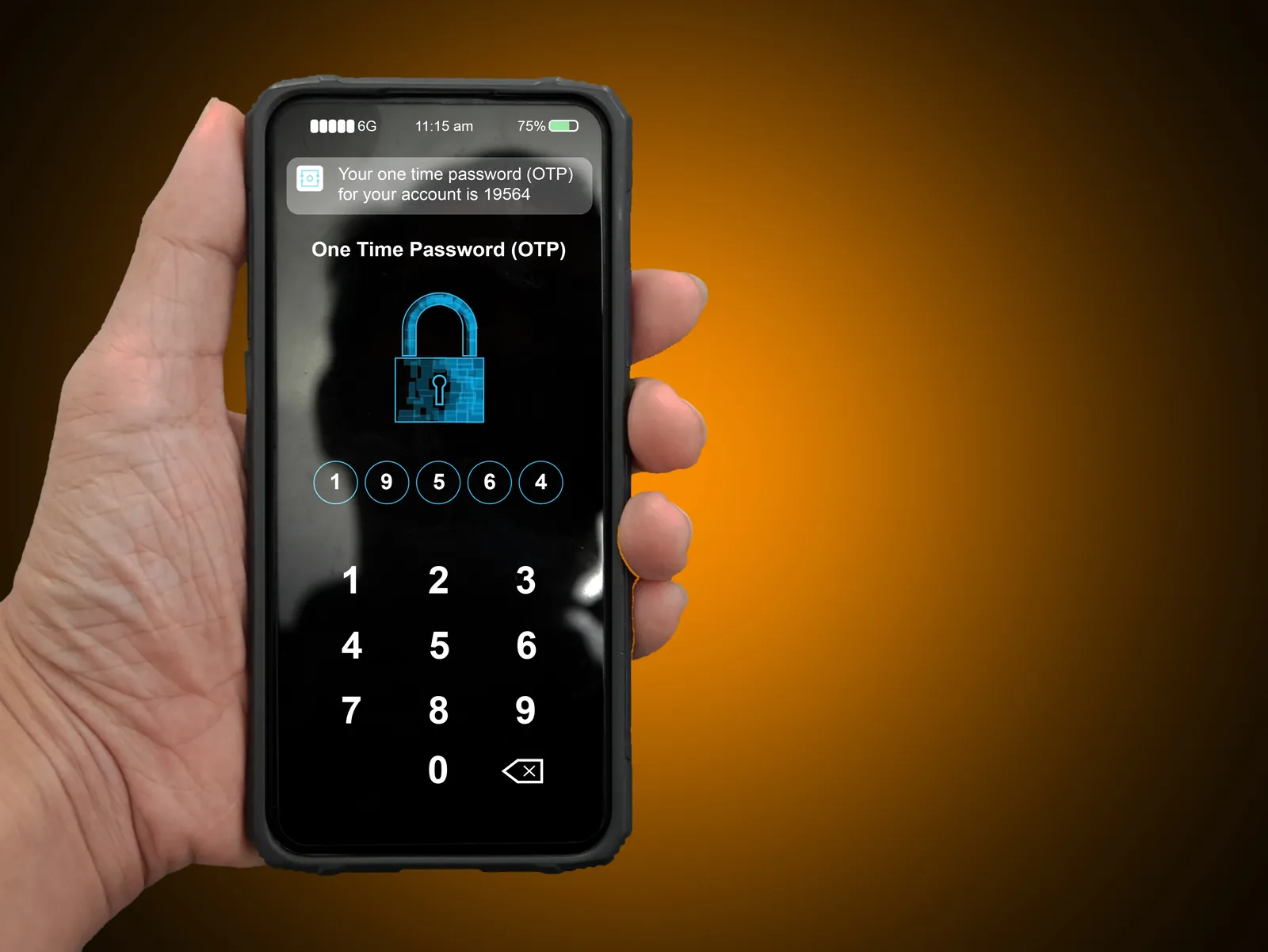
Two-step login means you need your password and a code from your phone. A stolen password is then not enough on its own.
What to do: turn it on for your email first, then banking, your website admin and social media pages. An authenticator app is safer than SMS codes, because criminals can sometimes move your phone number to their SIM card.
A website nobody looks after
Most small business websites run on WordPress. In 2025, security company Patchstack counted 11,334 new WordPress weaknesses, and the most attacked ones were being used by criminals within about five hours. A hacked site can show spam to Google visitors while looking normal to you.
What to do: get a written maintenance plan from your web provider. It should cover regular updates, security monitoring and backups stored somewhere else.
A domain in someone else’s name
Your domain name (yourbusiness.co.za) runs your website and your email. If it is registered to your old developer or a former staff member, you may not control it.
What to do: check who it is registered to. Make sure it is in the business’s name, with auto-renew on.
No protection on your email address
Without three settings called SPF, DKIM and DMARC, anyone can send email that looks like it comes from your business. They can use it to send fake invoices to your customers.
What to do: ask your web or email provider to set them up and confirm it in writing.
No separate backup
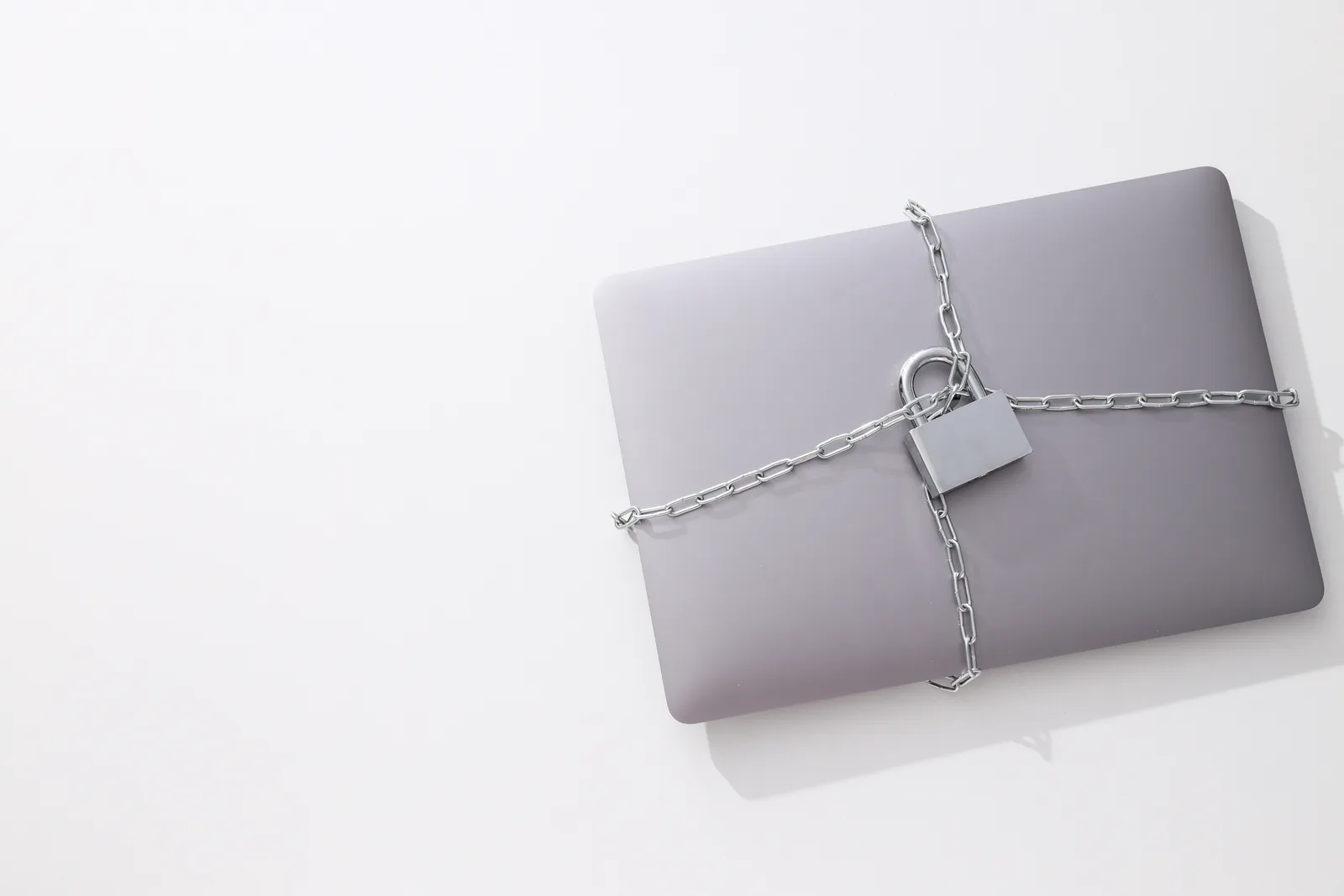
Ransomware is a virus that locks your files and demands payment. If your only copy is on the same laptop, or synced to a cloud folder that syncs the locked files too, you can lose everything.
What to do: use an automatic backup that keeps older versions of your files. Test it by restoring one file.
Ex-staff who still have access
People who leave can still have your banking, email, website or social media logins.
What to do: on their last day, remove their access and change any shared passwords. Use a checklist so nothing is missed.
How many of these weak spots apply to you? The free Security Health Check takes about 5 minutes and gives you a rating plus your top three fixes.
Free tools that help today
- Password manager: Bitwarden has a free plan. You can also use the one already on your phone: Google Password Manager on Android, or the Passwords app on iPhone.
- Two-step login codes: Google Authenticator or Microsoft Authenticator, both free.
- Leak check: type your business email address into haveibeenpwned.com. If it shows up in a leak, change that password first.
- Better passwords: use four or more random words, like kettle-taxi-maize-orbit. Long beats clever. Never use your banking password anywhere else.
Ten rules for your business
- Never move money, share a code or install an app because someone called you.
- Turn on two-step login for your business email, and set a PIN on your business WhatsApp.
- Switch on automatic updates on every business laptop and phone.
- Use a password manager, with each person on their own login.
- Lower your bank’s daily and new-beneficiary limits, and switch on instant notifications.
- Only change a supplier’s banking details after phoning them on a number you already have.
- Check every government order with the department’s supply chain office before buying stock.
- Keep an automatic backup with older versions, and test it.
- Make sure your domain is in the business’s name, and ask your provider about SPF, DKIM and DMARC.
- Tell customers in writing that your banking details won’t change, and to call you before paying a “new” account.
If something goes wrong
- Paid a fake account? Call your bank’s fraud line straight away. The sooner you call, the better the chance of stopping the money.
- Open a case with SAPS. Call 10111 or go to your nearest police station, and keep the case number.
- If your bank won’t help, contact the National Financial Ombud on 0860 800 900 or at nfosa.co.za.
- If customer or staff details were exposed, POPIA says you must tell the people affected and report it to the Information Regulator on its eServices portal (eservices.inforegulator.org.za).
- If Google marks your website as hacked, get it cleaned first, then ask Google for a review. Google’s guidance says reviews for hacked spam can take several weeks, and the warning stays until it’s approved.
Find out where your business stands
You’ve read about the risks. Now see which ones apply to you.
Take the free Security Health Check. It takes about 5 minutes and gives you a clear rating, from Open Gate to Security Estate, and your top three fixes.
Want help closing the gaps, from website maintenance to email security? .
Sources
- SABRIC Annual Crime Statistics 2025
- Edward Nathan Sonnenberg Inc v Hawarden [2024] ZASCA 90
- Intengo Imoto v Zoutpansberg Motor Wholesalers [2025] ZASCA 93
- Verizon 2026 Data Breach Investigations Report
- Patchstack: State of WordPress Security in 2026
- Google: Request a review for a hacked site
- Information Regulator: reporting security compromises
- National Financial Ombud
Frequently asked questions
What is the most expensive scam for South African businesses?
Fake supplier bank-detail changes. Business payments are bigger than personal ones, and banks rarely refund a payment you approved yourself.
Who carries the loss if my business pays a fake account?
Usually you do. South African courts have left the loss with the person or business that paid without checking the new banking details.
What is two-step login?
It means you need your password plus a code from your phone to log in. Someone who steals your password still can’t get in without the code.
What should I do first if I think fraud has happened?
Call your bank’s fraud line immediately. Then open a case with SAPS on 10111 and keep the case number.
Do I have to report a data breach?
Yes. If someone may have accessed personal information your business holds, POPIA says you must tell the people affected and report it on the Information Regulator’s eServices portal.
Is a free password manager safe?
A well-known password manager is much safer than reusing passwords or keeping them in a notebook or WhatsApp chat. Bitwarden’s free plan is a good place to start.
What are SPF, DKIM and DMARC?
They are settings on your email domain. They stop criminals sending emails that look like they come from your business. Your web or email provider can set them up.